
Overview :
Pending Reward Emails notify users that they’ve earned a reward, but a validation or waiting period must pass before it can be delivered. These emails help set clear expectations, reduce support inquiries, and reinforce trust in your program.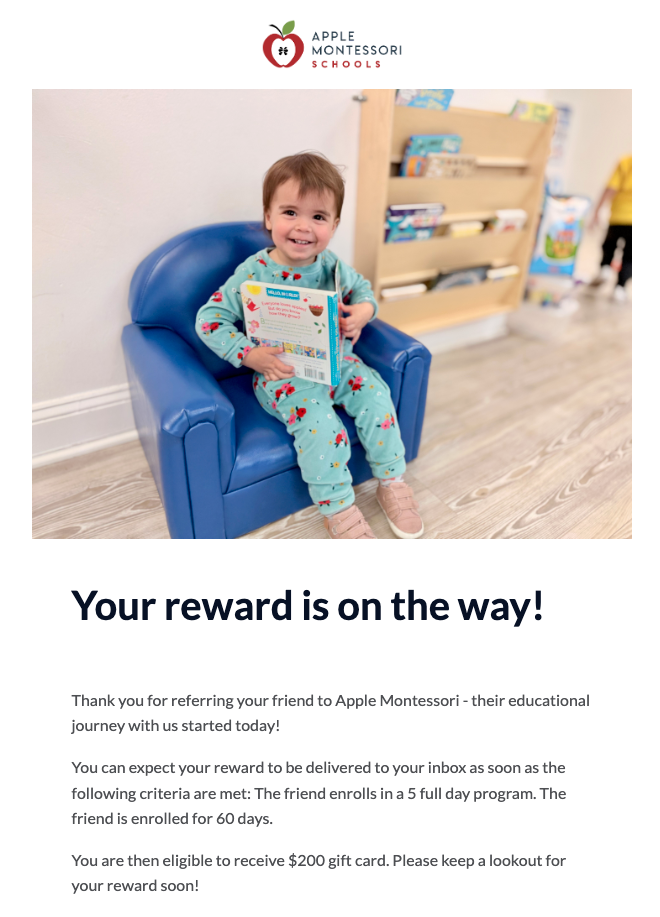
When to Send a Pending Reward Email
There are two main types of Pending Reward Emails:- Advocate emails: Notify the Advocate that their reward will be delivered once the referred Friend completes a specific condition (e.g., a 30-day return window).
- Friend emails: Inform the Friend that their reward is pending until their own action is fully validated (e.g., set up your direct deposit).
- Return or cancellation windows
- New Account Qualifications requirements to be met
- Subscription activation or billing milestones
Adding a Pending Reward Email
If your campaign is on Extole’s upgraded Flow Builder, you can add these emails yourself.- Go to campaign’s Flow page and find the event you would like this email triggered on
- Click into the event and click + New Action
- Search for the Pending Reward Email or the Pending Other Person Reward Email
- Adjust any copy and creative and click Add
Best Practices
-
Clearly explain why the reward is pending: Be direct and specific; clarity reduces confusion and minimizes support requests.
- “Your reward will be delivered after the 30-day return window.”
- “Your friend needs to keep their account open for 60 days.”
-
Include an expected delivery timeline
- The estimated number of days remaining
- A specific delivery date
- Use positive, reassuring language: Keep the tone celebratory and informative. Avoid language that makes the delay feel like a penalty.
- Reinforce the value of the reward: Highlight what they’re getting and remind them why they earned it.
-
Keep the email simple and focused: Avoid clutter. Focus on the core message:
“You earned a reward, and here’s when you’ll get it.”
Key Metrics
- Open Rate : Measures how many recipients opened the email. Indicates subject line effectiveness and timing.
- Conversion Rate : For Friends, this might measure completion of the qualifying action (e.g., second payment, onboarding step).
- Share Rate (Advocates) : Tracks whether Advocates share again after receiving the email.
- Support Ticket Volume : A reduction in reward-related support requests can signal the email is effective at setting expectations.
Editable Elements in Extole
- Headline : Customize to match your brand voice.
- Body copy : Edit program details, validation steps, and reward description.
- Visuals : Add branded imagery, banners, or icons.
- CTAs : Encourage sharing or taking the next required steps for reward
A/B Testing Suggestions
To optimize engagement, consider testing the following for both Advocate and Friend emails:- Subject Lines: try variations in tone, clarity, and use of emojis.
- Personalization: experiment with including advocate name or the milestones for tiered rewards
-
Engagement Prompts: test adding calls to action:
- Encouraging Advocates to refer again
- Encouraging Friends to complete onboarding
- Visual Elements: explore different layouts and visual styles.
- **Timing & Frequency: ** test when the email is sent and whether a reminder improves performance.