
Overview
Acquire and retain loyal clients by connecting Boulevard’s appointment management platform with Extole’s loyalty and referral marketing programs. This integration automatically tracks key client milestones, such as when appointments are created, confirmed, or canceled — and seamlessly rewards them with points, BLVD vouchers, account credits, or gift card codes. Additionally, you can view and segment your loyalty and referral program clients directly within Boulevard to power targeted future marketing campaigns and promotions. Learn more about Boulevard.Prerequisites
Use Cases
- Use BLVD events in your loyalty and referral programs to trigger actions (rewards, emails) and create audiences.
- Automatically create and issue vouchers and account credits as users earn and redeem rewards.
- Segment and view your referral and loyalty program clients in Boulevard. Extole can automatically tag profiles with “referral” or “loyalty” attributes for segmentation, and also display a clients available points within their BLVD profile.
Integration
Use Case #1: Use BLVD events to trigger actions (rewards, emails) and create audiences in your Extole campaigns
Use Boulevard webhooks to notify Extole as clients perform certain actions through the BLVD platform. See commonly used events in the table below, or refer to BLVD’s documentation for a list of available events.
First, obtain your Extole Access Token and Events API URL to begin configuring webhooks in Boulevard’s platform.
Then, use the Boulevard platform to create webhooks for each of the events.
Example payload:
CLIENT_CREATED
Once you’ve configured your webhooks in Boulevard, your Extole implementation team will configure your Refer A Friend or Loyalty campaign to handle the events.
Use Case #2: Create and issue Boulevard gift card codes, vouchers, and account credits.
When a participant earns a reward in your Extole-powered programs, Extole will fire a real-time mutation to Boulevards graphQL Admin API using outbound webhooks to trigger fulfillment. Once the code has been created, Extole will automatically distribute the gift card code to the participant via email. First, to connect to Boulevard APIs, make sure to provide the following values to your Extole team.Trigger a gift card code
To send out a gift card code (discount), your Extole team will create a webhook with the following properties. This will automatically create a gift-card code in Boulevard. Once the code has been created, Extole will automatically distribute the gift card code to the participant via email.
Example payload:
APPOINTMENT_CREATED
Trigger an account credit
APPOINTMENT_CONFIRMED
Trigger a voucher
APPOINTMENT_COMPLETED
Use Case #3: Segment and view referral and loyalty clients within BLVD
You can also create lists of referred or loyalty clients in Boulevard using the Extole integration. Provide the following values to your Extole team, who will then create a webhook that fires a mutation into Boulevard’s graphQL Admin API when a referred client completes their appointment. The webhook will contain the following properties.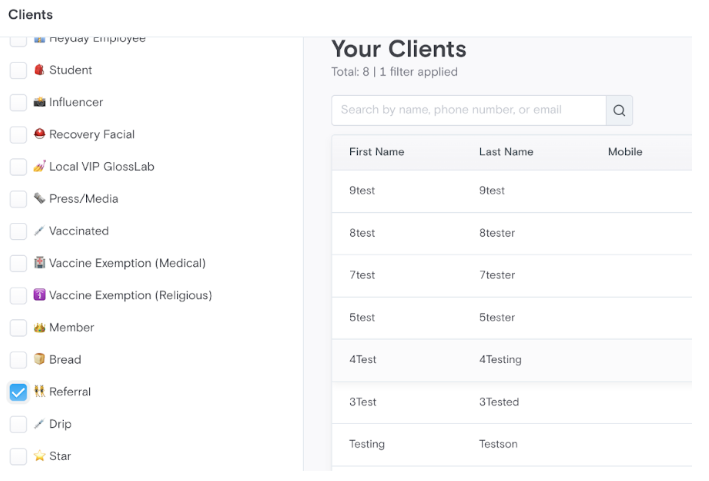
Additionally, Extole can update a loyalty users total points balance in BLVD as they earn and redeem points.
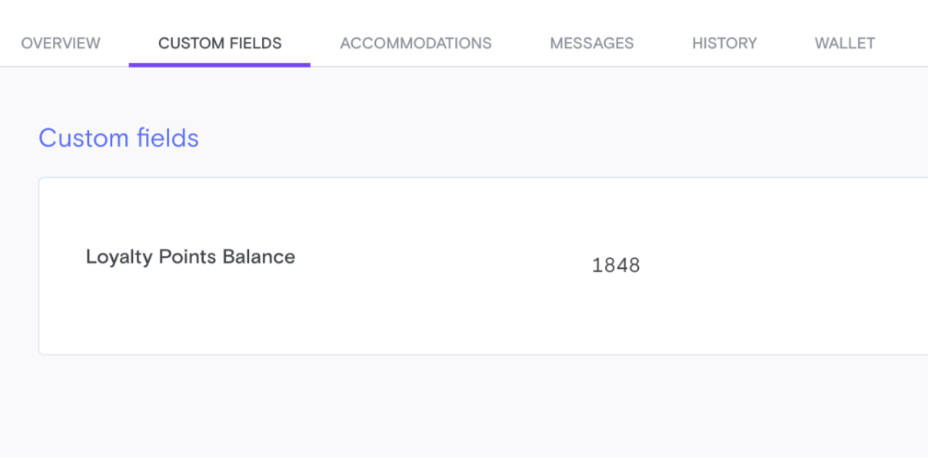 First, create a custom field in your BLVD dashboard and name it
 Loyalty Points Balance. Extole will then query BLVD’s API to locate the key for the custom field.From there, Extole will fire a real-time mutation to update the users points balance using
https://dashboard.boulevard.io/api/2020-01/admin
MEMBERSHIP_CREATED