| Requirement | Description |
|---|---|
| Attentive Account | An Attentive account is required in order to take advantage of this partnership. |
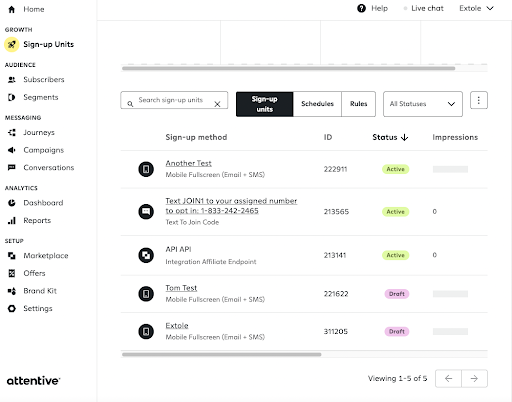
| Sign Up Source ID | An Attentive Sign Up Source ID can be created within your Attentive account on the Sign-Up Units page. Find your Signup Source ID for Extole in the ID column under the Sign-up Units for an API sign-up method. If an ID has not been created for Extole yet, please work with your Attentive Customer Success Manager to generate a new one. |
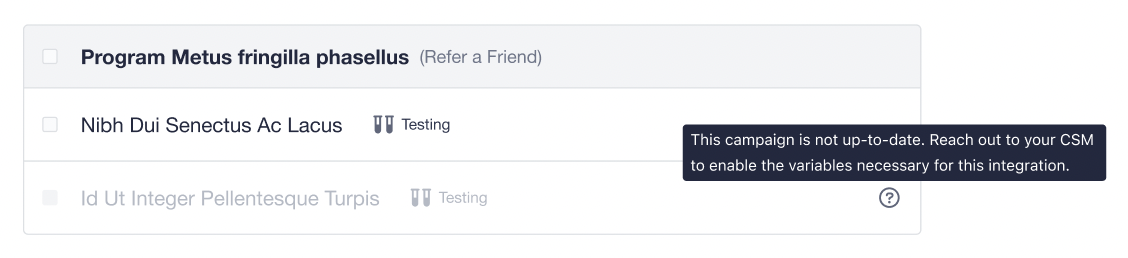 Getting a campaign updated is a quick process. Just reach out to your Extole Customer Success Manager and they will be happy to help you enable the required variable for your campaigns.
### Finish Your Configuration
Once you’ve selected your campaigns for the integration, proceed to the Configurations tab. Here you will need to enter the Extole Sign Up Source ID that you collected from your Attentive account. The custom events webhook and subscriptions webhook are automatically created and do not require any configuration on your end.
Getting a campaign updated is a quick process. Just reach out to your Extole Customer Success Manager and they will be happy to help you enable the required variable for your campaigns.
### Finish Your Configuration
Once you’ve selected your campaigns for the integration, proceed to the Configurations tab. Here you will need to enter the Extole Sign Up Source ID that you collected from your Attentive account. The custom events webhook and subscriptions webhook are automatically created and do not require any configuration on your end.
 [//]: ___
## Using this Integration
[//]: # "How do I use the Extole integration with Attentive?"
### Send Referral Messages Using Custom Journeys
After the integration is connected, you can return to your Attentive account to create your journeys. By default, this integration includes journeys for Advocate Reward Earned and Friend Reward Earned custom events, which will trigger text messages with coupon codes to advocates and friends as they earn rewards through the referral program. If you’d like additional events or event properties, please work with your Extole customer success manager to configure in your Extole account.
To set up your journeys, select the `Extole - Advocate Rewarded` and `Extole - Friend Rewarded` journeys in the Extole integration app.
[//]: ___
## Using this Integration
[//]: # "How do I use the Extole integration with Attentive?"
### Send Referral Messages Using Custom Journeys
After the integration is connected, you can return to your Attentive account to create your journeys. By default, this integration includes journeys for Advocate Reward Earned and Friend Reward Earned custom events, which will trigger text messages with coupon codes to advocates and friends as they earn rewards through the referral program. If you’d like additional events or event properties, please work with your Extole customer success manager to configure in your Extole account.
To set up your journeys, select the `Extole - Advocate Rewarded` and `Extole - Friend Rewarded` journeys in the Extole integration app.
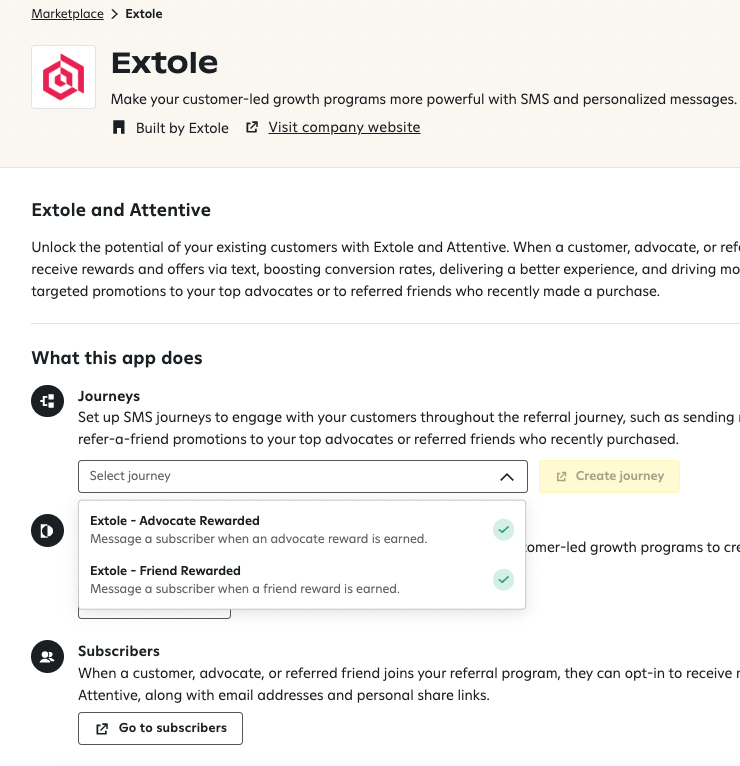 The Extole journeys are templated and in line with Extole's and Attentive's best practices, however it's recommended to review all journeys before pushing live.
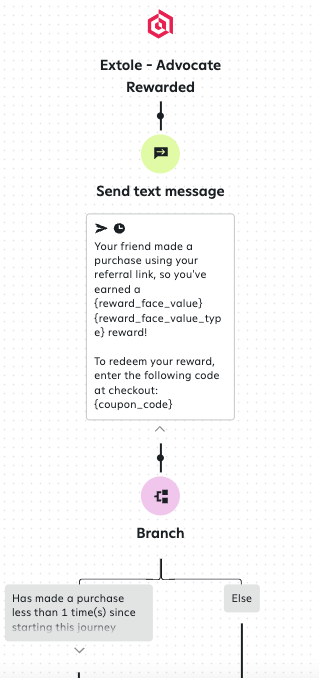 Once you've reviewed and approved your journeys, you're ready to push live!
| Custom Event Name | Properties |
|---|---|
| Advocate Earned Reward | Funnel (e.g advocate)\ Coupon Code\ Reward Value\ Share Link\ Program (e.g refer a friend)\ Share Link (e.g share.dundermifflin/jsmith)\ Phone Number\ Email\ First Name |
| Friend Earned Reward | Funnel (e.g friend)\ Coupon Code\ Reward Value\ Program (e.g refer a friend)\ Phone Number\ Email\ First Name |
 [//]: ___
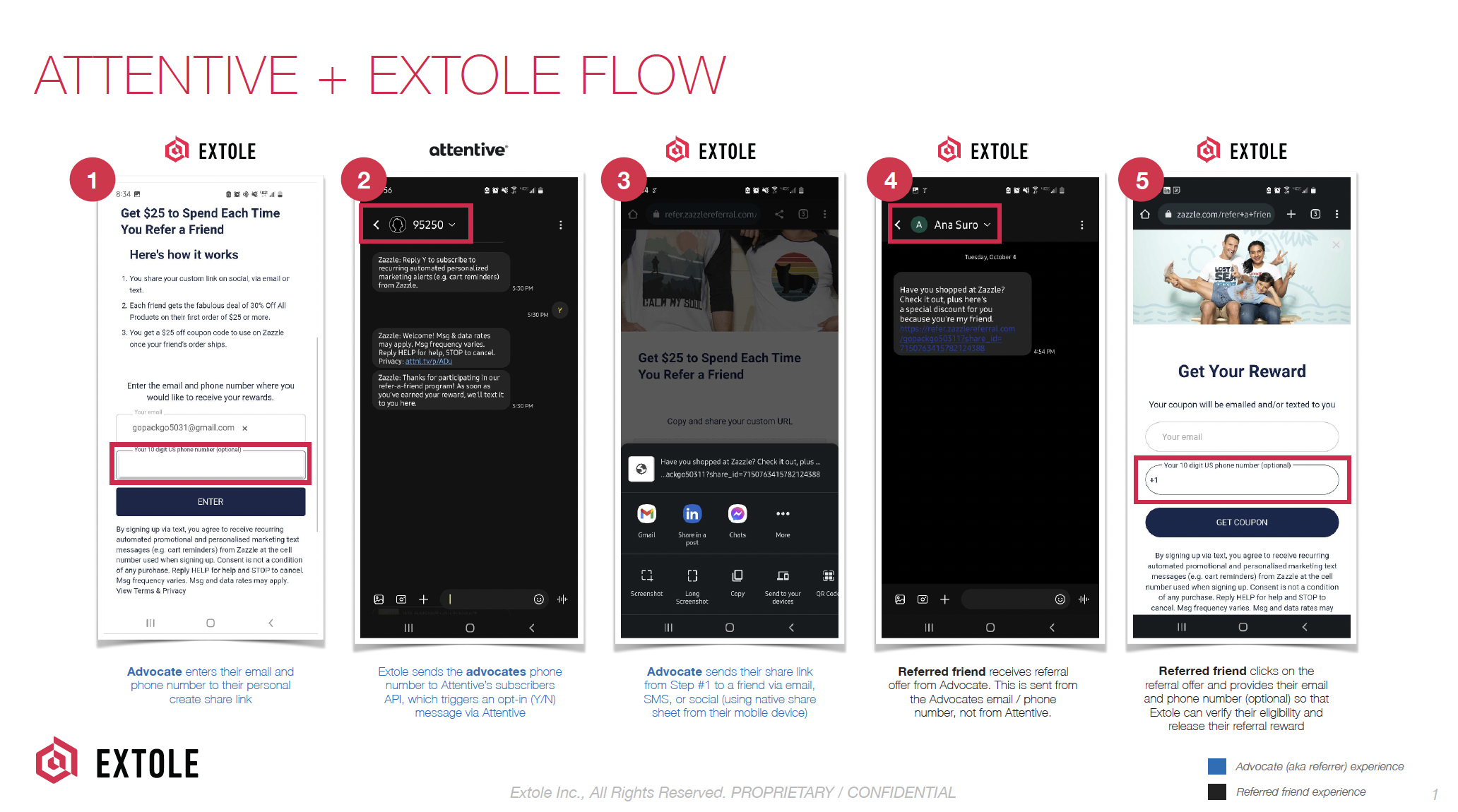
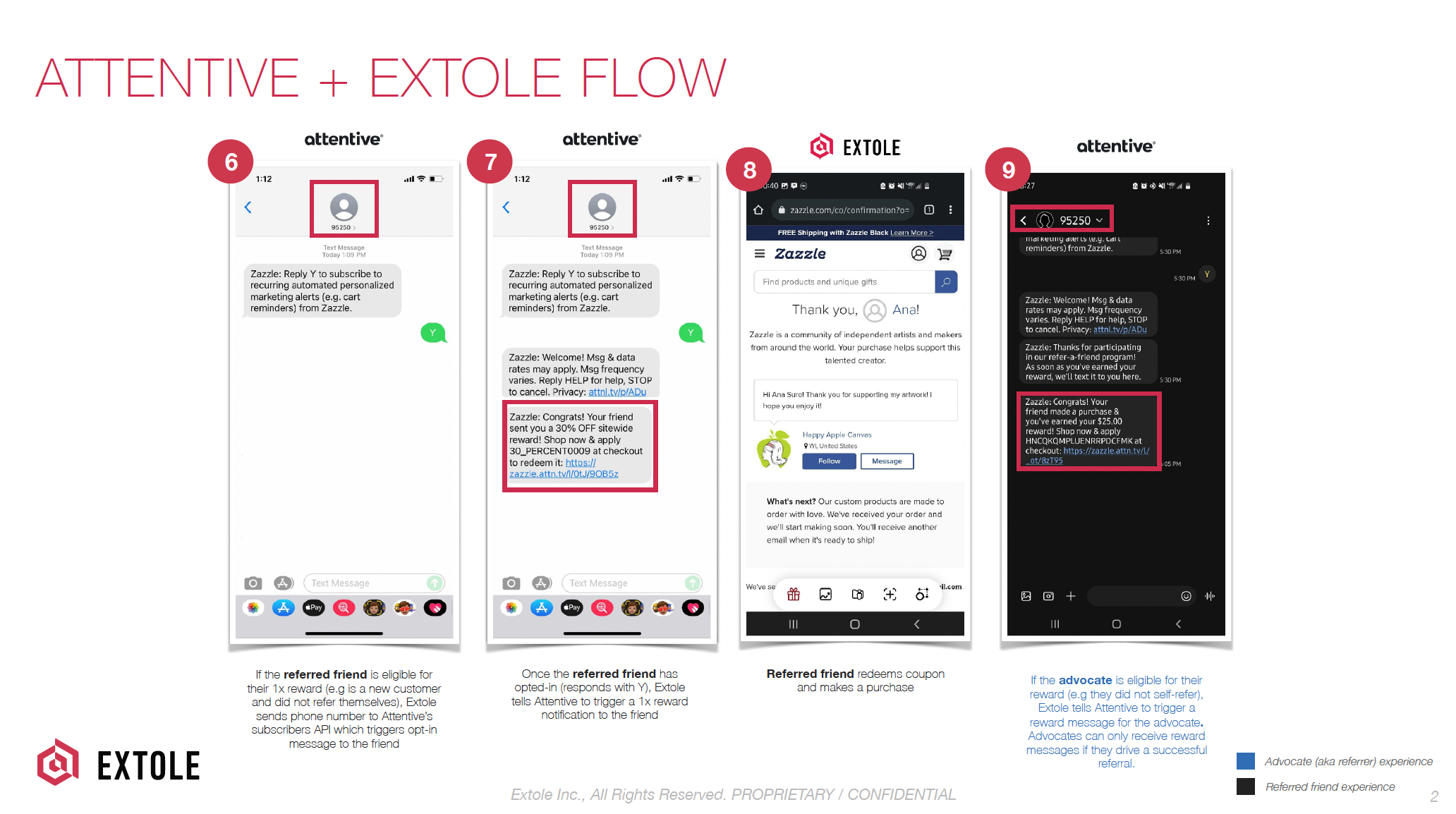
## Example Customer Journey
[//]: ___
## Example Customer Journey
 ## Customization
[//]: # "Can I customize the Extole integration with Attentive?"
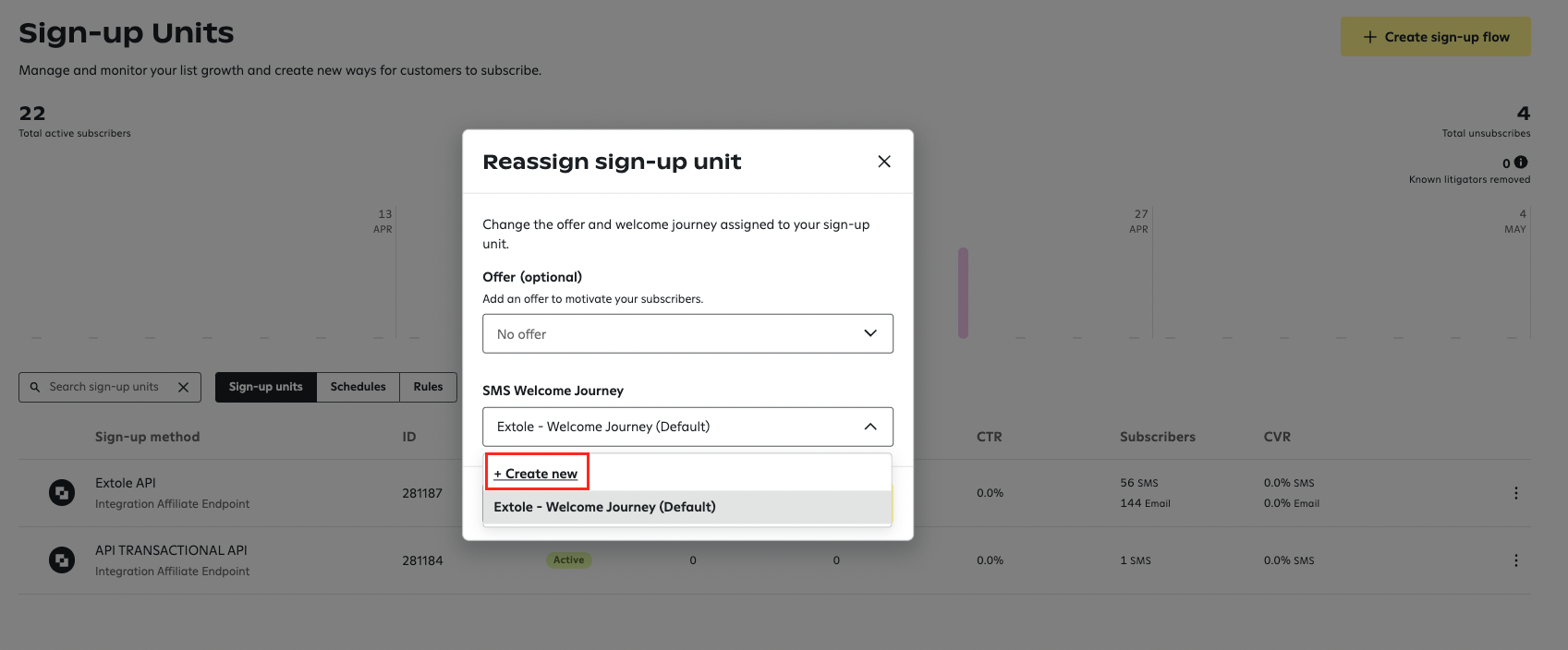
While not required, Extole highly recommends creating a personalized welcome journey for any new subscribers that are captured through your referral program. In your Extole API Sign-Up Unit, select Re-assign > Create New to create.
[//]: ___
## Disconnecting the Integration
[//]: # "How do I disconnect the Extole integration with Attentive?"
If for whatever reason you need to disconnect your Attentive integration, you will need to make sure that the integration is not in use. In the Campaigns tab of the Attentive integration page, deselect any campaigns and be sure to publish your changes. Once there are no campaigns actively using the integration, you should be able to hit the Disconnect button.
## Customization
[//]: # "Can I customize the Extole integration with Attentive?"
While not required, Extole highly recommends creating a personalized welcome journey for any new subscribers that are captured through your referral program. In your Extole API Sign-Up Unit, select Re-assign > Create New to create.

[//]: ___
## Disconnecting the Integration
[//]: # "How do I disconnect the Extole integration with Attentive?"
If for whatever reason you need to disconnect your Attentive integration, you will need to make sure that the integration is not in use. In the Campaigns tab of the Attentive integration page, deselect any campaigns and be sure to publish your changes. Once there are no campaigns actively using the integration, you should be able to hit the Disconnect button.