> ## Documentation Index
> Fetch the complete documentation index at: https://doc.extole.com/llms.txt
> Use this file to discover all available pages before exploring further.

# Segment

> Send data from Segment to Extole to target your advocation and engagement programs to specific groups of customers.

## Overview

[//]: # "Does Extole integrate with Segment or Twilio Segment?"

Segment, now known as Twilio Segment, is a customer data platform (CDP) that helps you collect, clean, and activate your customer data. Segment establishes a modern customer data foundation and helps you make data driven decisions. Paired with Extole, you can use Segment to target your advocation and engagement programs to specific groups of customers.

[//]: ___

## Prerequisites

[//]: # "What is required to integrate with Segment?"

| Requirement                           | Description                                                                                              |
| :------------------------------------ | :------------------------------------------------------------------------------------------------------- |
| Extole Account                        | An Extole account is required in order to take advantage of this partnership.                            |
| Segment Account                       | A Segment account is required in order to take advantage of this partnership.                            |
| Segment HTTP API Source and Write Key | A new HTTP API Source and Write Key created in your Segment account                                      |
| Extole API Key                        | A key created in your My Extole account in the [Security Center](https://my.extole.com/security-center). |

[//]: ___

## Segment Destination

[//]: # "Can I use Segment Destinations with Extole?"

Extole supports using a Segment Destination to send events into the Extole Platform. Typically the Segment Destination will work together with Extole Tags to manage a referral experience.

Extole recommends the first friend event, such as a friend landing capture, signup form, or purchase, is tracked to Extole using Extole Tags. The Extole tags are able to take advantage of the web context providing the best possible advocate-matching and fraud-detection capabilities. Segment does not pass this data and should be focused on sending offline events or supplementing profiles.

From your Segment UI’s Destinations page click on “Add Destination”.

* Search for “Extole Platform” within the Destinations Catalog and confirm the Source you’d like to connect to.
* Drop the API Key—generated in your My Extole account in the [Security Center](https://my.extole.com/security-center)—in your Segment Settings UI.

[//]: ___

### Identify

[//]: # "Can I use Segment Destinations to send identify events to Extole?"

Identify calls are sent to Extole as an `identify` event. Extole will create a new profile or update an existing one. Find below a list of basic traits mapping:

| Segment Trait | Extole Profile Property                                                                                                                                                                                                  |
| :------------ | :----------------------------------------------------------------------------------------------------------------------------------------------------------------------------------------------------------------------- |
| `userId`      | This is the Extole Partner User Id, which is an identifier that you have passed to Extole that identifies the user.                                                                                                      |
| email         | The email address associated with the profile.                                                                                                                                                                           |
| `firstName`   | This is the first name of a profile.                                                                                                                                                                                     |
| `lastName`    | This is the last name of the profile.                                                                                                                                                                                    |
| `other`       | By default all other traits passed to the program will be ignored by Extole. If there are traits to be used by an Extole program for segmentation, targeting, or other rules, Extole will map those traits to be stored. |

An example `identify` call:

`identify`

[//]: ___

### Track

[//]: # "Can I use Segment Destinations to send track events like conversions to Extole?"

By default, Extole discards all of the track events sent by Segment to the Extole Destination. In order for a track event from Segment to be handled by Extole, your program needs to be set up to listen for particular track events.

This setup should occur as part of the launch process by your Solutions Engineer or Support Engineer.

The following is an example `track` call for `conversions`:

`userId`

[//]: ___

## Extole Segment Source

[//]: # "How do I configure Extole as a Segment source?"

You can configure Extole as a Segment Source. As a Segment Source, when various events occur in the referral program, Extole will send these events into Segment. There are a standard set of events, but any step within your Extole programs can be configured to send to Segment.

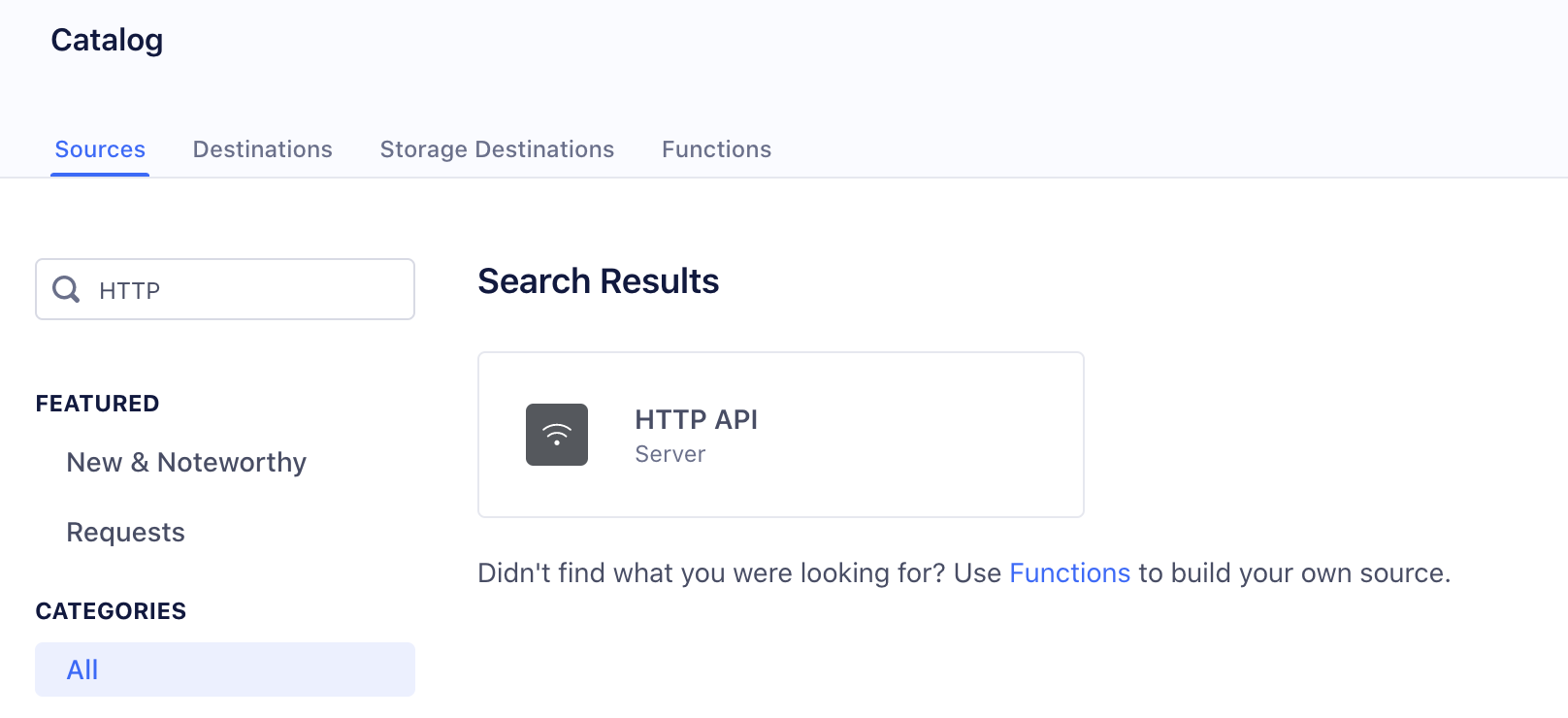
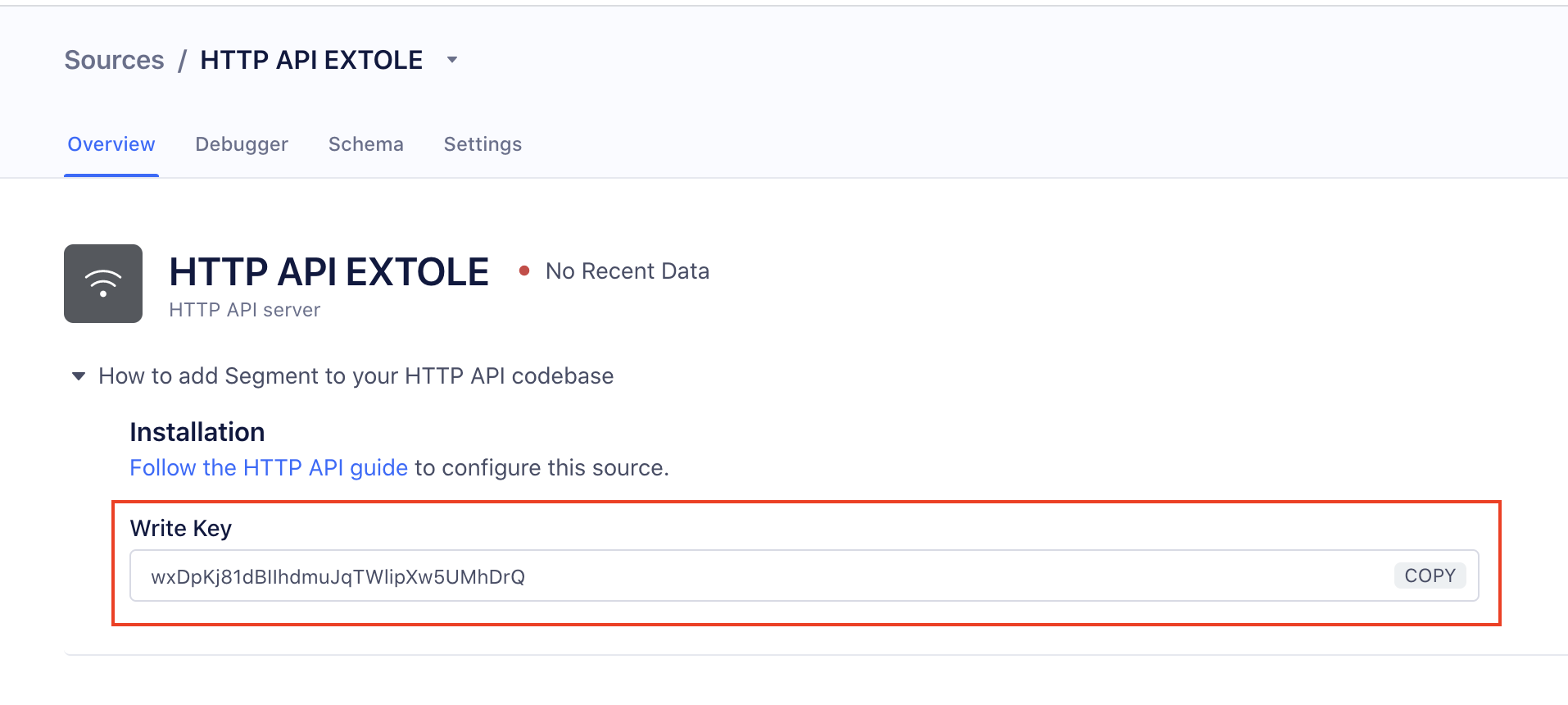
In order to setup Extole as a Segment Source you'll need to create a new HTTP API source in Segment and provide the Write Key to your Extole team.

[//]: ___

<img src="https://files.readme.io/b9e8ec2e8858900fbbbcecfa4a0a5c2bde520c152d8b1fc669544826c1b37889-5dece34-Screen_Shot_2021-04-09_at_22.08.40_1.png" alt="Screen Shot 2021-04-09 at 22.08.40 (1).png" />

Segment HTTP Source
\</Image>

<img src="https://files.readme.io/3a3fbb781bd08f2aba3446667b35c10227c60a4f81102c311090b9651360c044-83c50a6-Screen_Shot_2021-04-09_at_22.09.06_1.png" alt="Screen Shot 2021-04-09 at 22.09.06 (1).png" />

Segment Write Key
\</Image>

<Info>
  **Related Resources**

  Reference Segment's guide on [HTTP Tracking API Source](https://segment.com/docs/connections/sources/catalog/libraries/server/http-api/).
</Info>

### Identify Event

[//]: # "How and when are people identified between Extole and Segment?"

Whenever someone is identified in your Extole program, an identify event is fired. This event includes a unique User ID and any profile attributes for that visitor stored in their Extole profile. People are identified when they share, receive a share message, provide an email address via Extole email capture, or make a purchase.

`firstName`

| Field         | Value                                                                                                                |
| :------------ | :------------------------------------------------------------------------------------------------------------------- |
| `userId`      | This is the Extole Partner User Id, which is an identifier that you have passed to Extole that identifies  the user. |
| `anonymousId` | This is the Extole Profile Identifier, which uniquely identifies a profile at Extole, including anonymous profiles.  |

<Tip>
  **Important Note**

  The identify event is not strictly necessary. As long as the track events you are sending include both User ID and email, we will be able to identify users across Segment and Extole.
</Tip>

[//]: ___

### Track Event

[//]: # "How do I track actions and events between Extole and Segment?"

When customers perform an action, Extole fires a track event with an event name describing that action. Common events include `referred`, `registered`, `purchased`, and `was_referred`, but **we can accommodate any custom event you might need**.

#### Mapping Event Properties

Certain properties, like `partner_user_id` and `partner_conversion_id`are mapped automatically. Your Extole team will work with you to ensure any other necessary event properties map to Extole's.

[//]: ___

### Track Referred Event

[//]: # "How do I track referred events between Extole and Segment?"

The `referred` event is fired when an Advocate shares via an Extole Share Experience.

The following code is an example `track` call with `referred` event name:

`lastName`

<table>
  <thead>
    <tr>
      <th>
        Field
      </th>

      <th>
        Description
      </th>
    </tr>
  </thead>

  <tbody>
    <tr>
      <td>
        `userId`
      </td>

      <td>
        This is the Extole Partner User Id, which is an identifier that you have passed to Extole that identifies the user.
      </td>
    </tr>

    <tr>
      <td>
        `anonymousId`
      </td>

      <td>
        This is the Extole Profile Identifier which unique identifies a profile at Extole, including anonymous profiles.
      </td>
    </tr>

    <tr>
      <td>
        `channel`
      </td>

      <td>
        Describes which share channel that advocate used to share to their friend and can include:\
        `FACEBOOK`, `TWITTER`, `MESSENGER`, `WHATSAPP`, `PINTEREST`, `SMS`, `PERSONAL_LINK`.
      </td>
    </tr>

    <tr>
      <td>
        `funnel`
      </td>

      <td>
        Indicates if the event occurred on the `ADVOCATE` or the `FRIEND` funnel.
      </td>
    </tr>

    <tr>
      <td>
        `campaign`
      </td>

      <td>
        Indicates the name of the referral campaign.
      </td>
    </tr>

    <tr>
      <td>
        `friend_emails`
      </td>

      <td>
        In the case of an email share channel, the advocate profiles the friend's email addresses which are returned in this array.
      </td>
    </tr>
  </tbody>
</table>

[//]: ___

### Track Registered Event

[//]: # "How do I track registration events between Extole and Segment?"

The `registered` event is fired when a registration happens. The following code is an example `track` call with `registered` event name:

`other`

| Field              | Description                                                                                                         |
| :----------------- | :------------------------------------------------------------------------------------------------------------------ |
| `userId`           | This is the Extole Partner User ID, which is an identifier that you have passed to Extole that identifies the user. |
| `anonymousId`      | This is the Extole Profile ID, which uniquely identifies a profile at Extole, including anonymous profiles.         |
| `advocate_user_id` | The user identifier of the advocate who caused this referred event to occur.                                        |

[//]: ___

### Track Purchased Event

[//]: # "How do I track purchase events between Extole and Segment?"

The `purchased` event is fired when a purchase happens.

The following code is an example `track` call with `purchased` event name:

`identify`

| Field                   | Value                                                                                                               |
| :---------------------- | :------------------------------------------------------------------------------------------------------------------ |
| `userId`                | This is the Extole Partner User ID, which is an identifier that you have passed to Extole that identifies the user. |
| `anonymousId`           | This is the Extole Profile ID, which uniquely identifies a profile at Extole, including anonymous profiles.         |
| `cart_value`            | This is the `cart_value` that was passed on the purchase event.                                                     |
| `partner_conversion_id` | This is the unique identifier for the purchase event.                                                               |
| `coupon_code`           | This is the `coupon_code` that was applied to the purchase.                                                         |
| `advocate_user_id`      | The user identifier of the advocate who caused this referred event to occur.                                        |

[//]: ___

### Custom Events

[//]: # "Can I customize the events tracked and shared between Extole and Segment?"

Extole is an events platform where any event in your programs can be routed out of Extole via Webhooks to any other system.  The data contained in those events is configurable and can contain any piece of data known about a person or event. If you need to have additional program events sent to Segment or would like to adjust the data being sent in your track events, please work with your Extole Customer Success Manager to create a custom request for Extole Support to implement.

[//]: ___